The District of Columbia Secretary of State corporation’s website provides a business search engine to online visitors through its online business center. To access this free service, users must set up a free account. Afterward, online users can look up the name and history of a D.C. business entity and then view the results on their screen.
Business Entity Search
1. Go to the business search page:
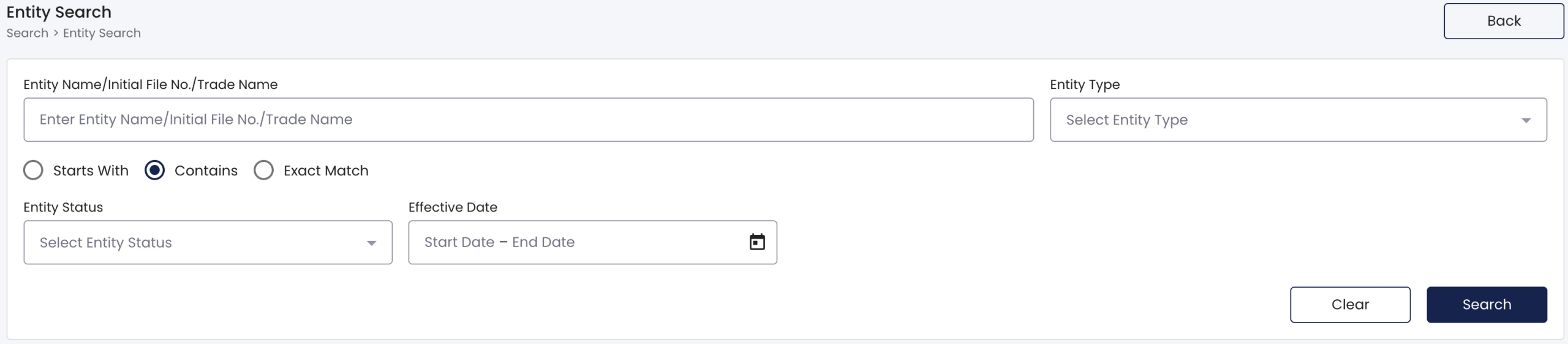
2. Submit The Search Item
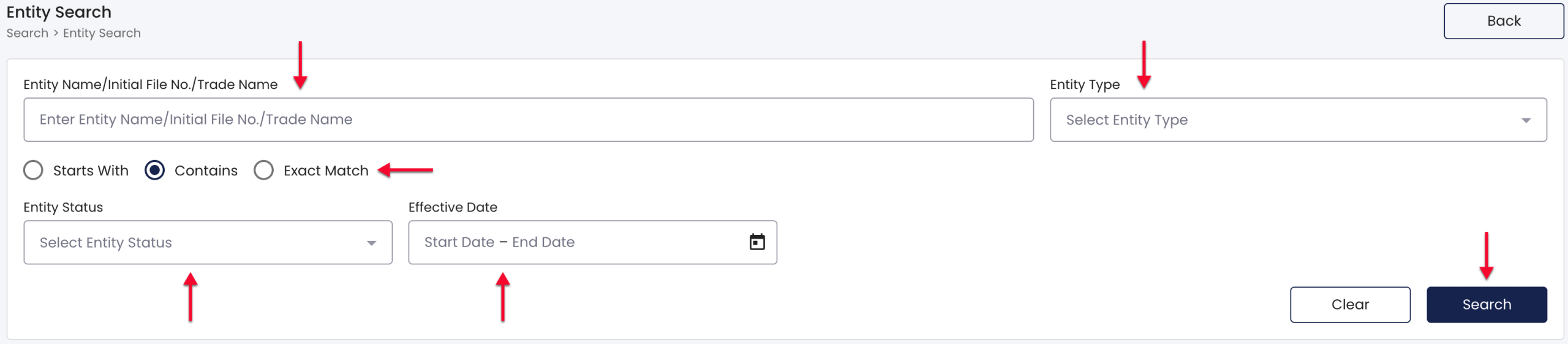
- Find the text box, then enter the phrase you wish the Corponline business entity search engine to find in its database.
- Select the radio button defining how your search phrase should appear in the D.C. business entity’s name.
- Use the drop-down lists to define the type and status of the sought D.C. business.
- Additionally, use the calendar field to define the entity’s “effective date.”
- Once you have supplied the desired criteria, click on the “Search” button.
3. Verify Your Status
After submitting the search criteria, the page will require confirmation that you are a user and not a bot. For this, select the checkbox and click submit in order to continue.

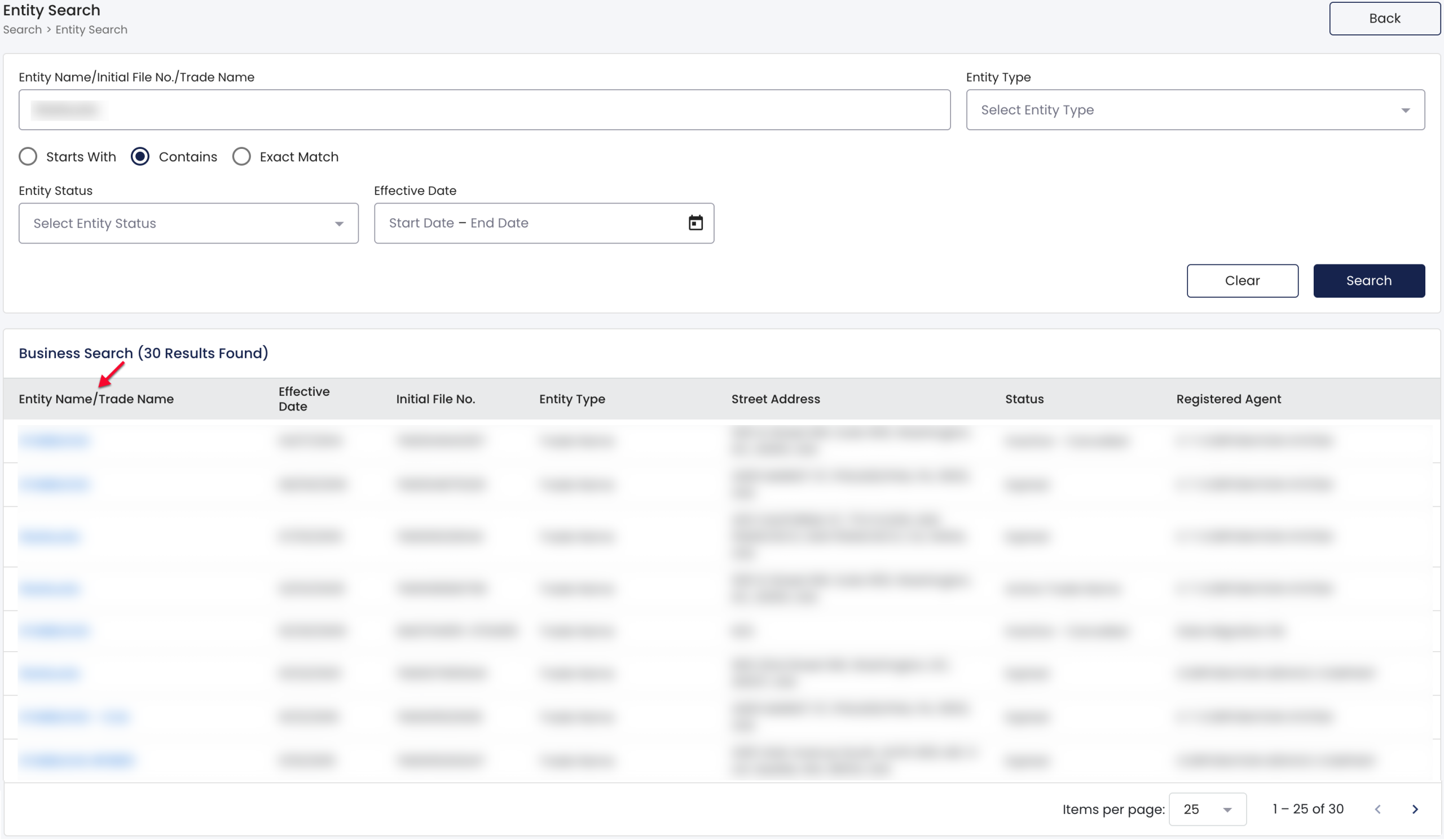
4. Review The D.C. Business Name Query Results
Direct your attention to the table that appears and review the information it presents.
- Entity Name/Trade Name
- Effective Date
- Initial File No.
- Entity Type
- Street Address
- Status
- Registered Agent
Locate the D.C. business entity’s name and select it to continue.
4. Find The Information You Seek
Look over the details of the D.C. business entity, paying attention to the first section (“Entity Information”) that delivers basic information:
- Record Name
- Entity Type
- Initial File No.
- Entity Status
- Street Address
- Trade Name Email
- File Date
- Effective Date
- Expiration Date
Additionally, review the relevant contact information regarding the D.C. business entity. Notice that you may perform an immediate entity search on a trade name owner by selecting the appropriate name. Otherwise, to continue investigating this entity, continue past this contact information to the next section.
- Trade Name Owner Information (Name, Type, Street Address, Mailing Address, Email)
- Registered Agent Information (Name, Type, Status, Effective Date of the Resignation, Email, Phone, Street Address, Commercial Status)
- Beneficial Owner Information (Name, Street Address, Mailing Address)
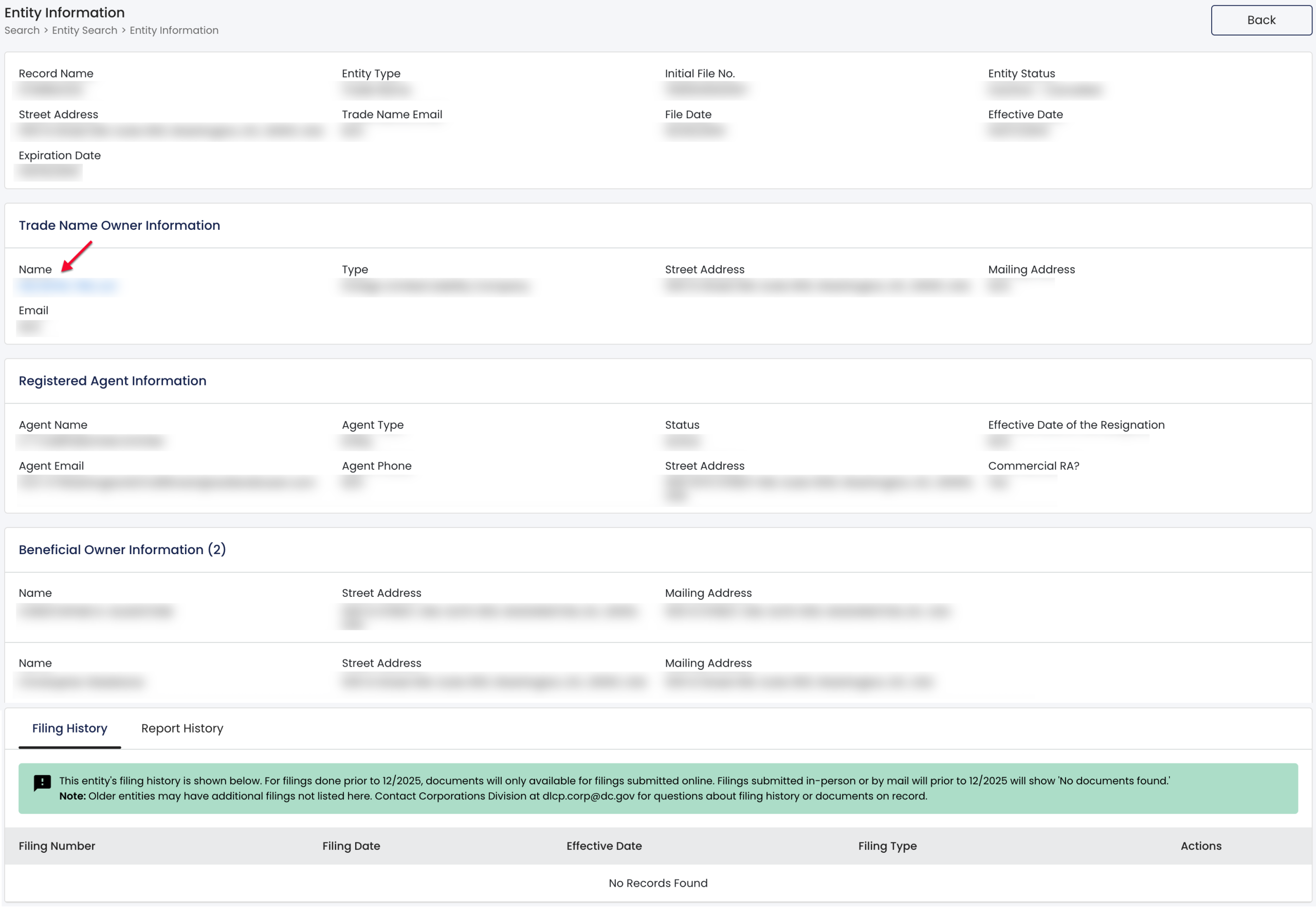
If desired, direct your attention to the bottom of the details page where the entity’s filing history is displayed, here you may review additional information (when available) and select the icon on the end of each row to view the filed document:
- Filing Number
- FIling Date
- Effective Date
- Filing Type
- Actions

Notice the tab to the immediate right. Use this to view the business entity’s Report History. This table also provides the ability to view the documents filed once you select the icon at the end of that filing’s row:
- Filing Number
- Filing Date
- Effective Date
- Filing Type
- Actions


